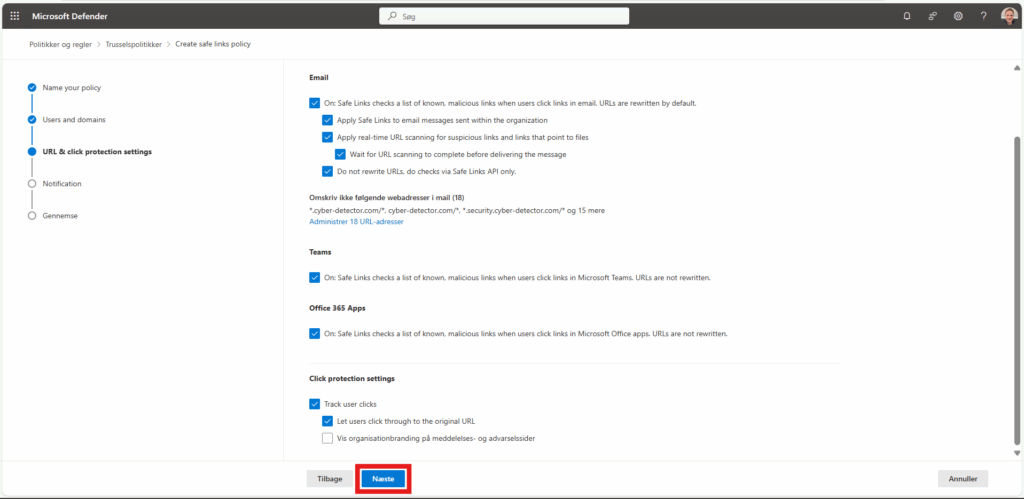
For that CanIPhish emails work reliably, you must exclude them from Microsoft’s Advanced Threat Protection (Defender for Office 365) processing. Do these two things:
Step 1 — Bypass Safe Attachments (ATP Attachments)
Step 2 — Bypass Safe Links (ATP Links)
Tip: After enabling the bypass rules/policies, wait ~1 hour before testing to allow propagation.
For security reasons, the full URLs are not displayed in this public guide.
You can find the complete URLs & IP directly in the CyberLearn platform under:
Company → Microsoft AD/Entra → Advanced Delivery
Step 1 — Bypass Safe Attachments scanning (mail flow rule)
- Create a mail flow rule that sets the Microsoft header used to skip Safe Attachments: Exchange admin center
2. Go to Mail flow → Rules →

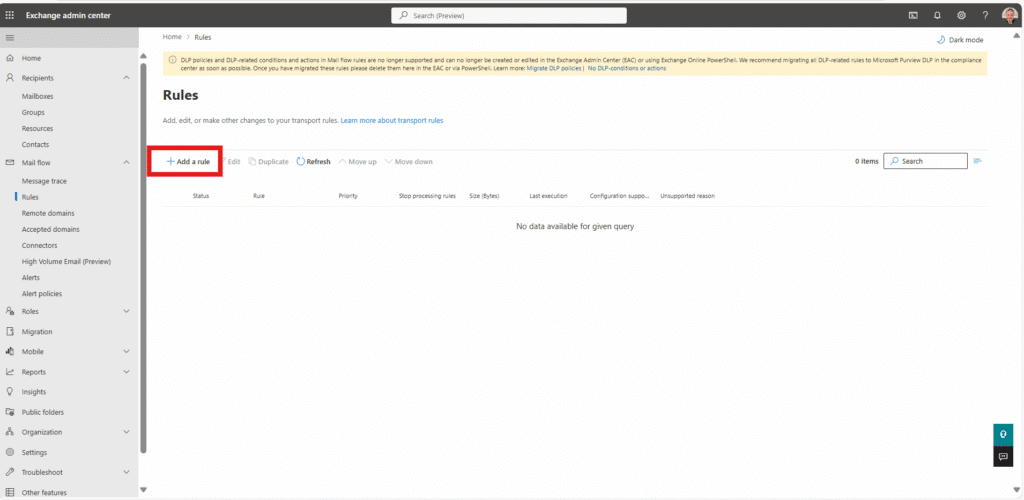
3. Click “Add a rule“.
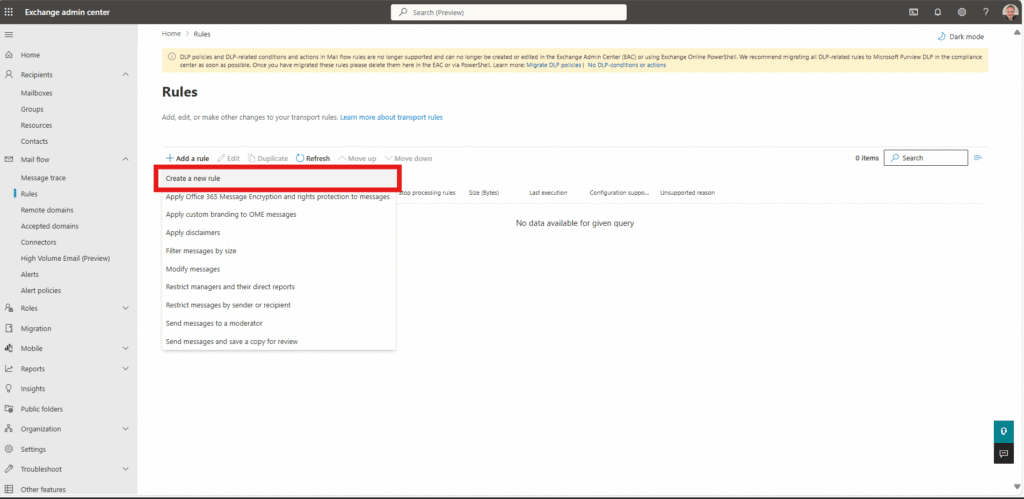
4. Click “Create a new rule“.
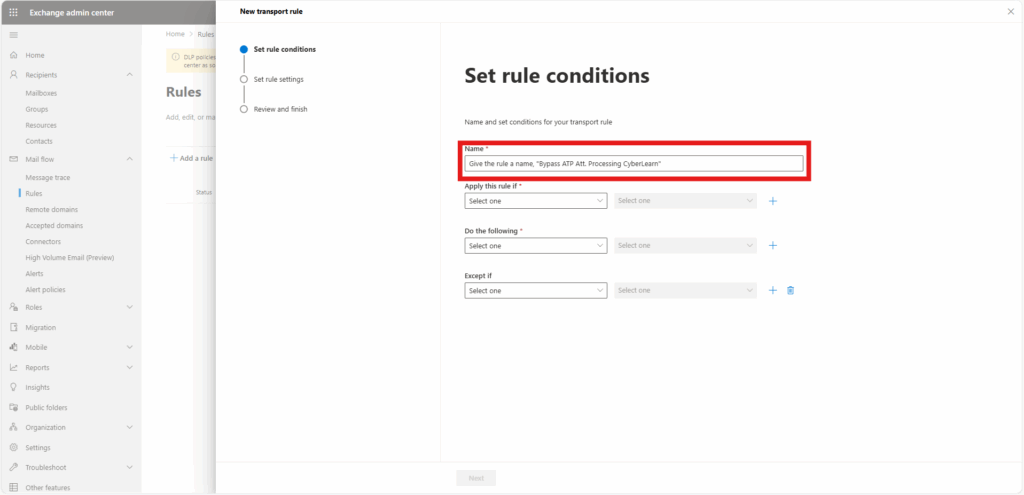
5. Give the rule a name, e.g., “Give the rule a name, “Bypass ATP Att. Processing CyberLearn”.
6. Under “Apply this rule if” select “The Sender…“ > “IP address is in any of these ranges or exactly matches“
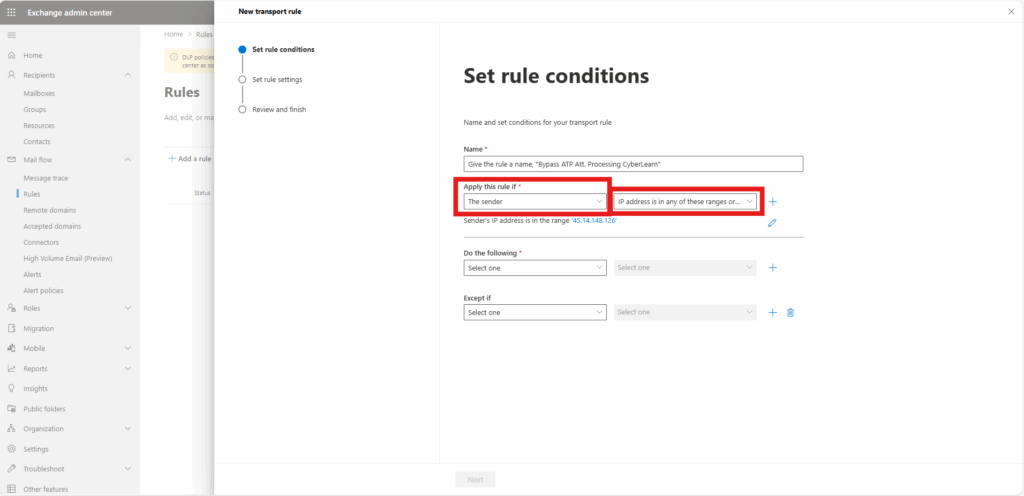
7. Enter each of CyberLearn’s IP addresses, clicking the “Add” button and save. IP: 45.14.148.126

8. Under “*Do the following” select “Modify the message properties…” > “set a message header“.
9. Edit the properties of this by selecting the “Enter text” buttons:
10. Use the following entries:
Set the message header to “X-MS-Exchange-Organization-SkipSafeAttachmentProcessing” and set the value to “1“.
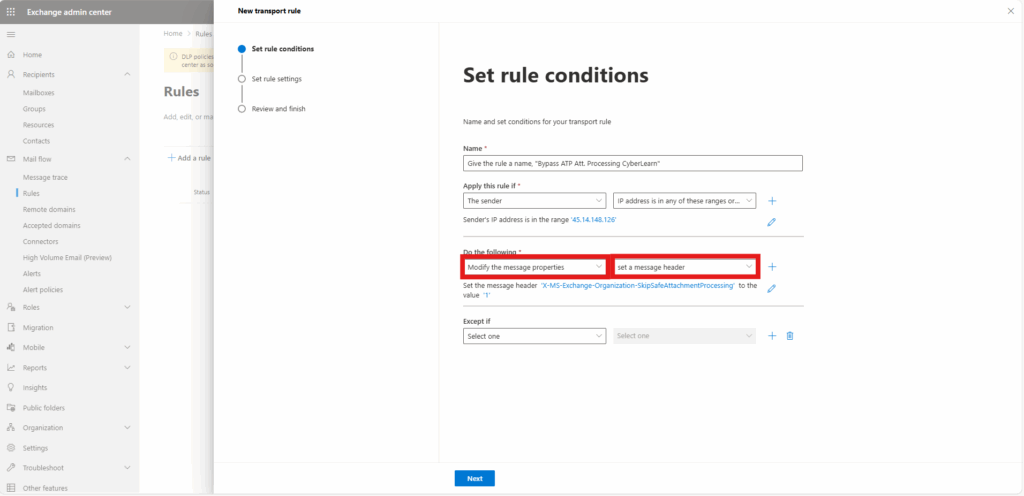
11. Click “Next“.
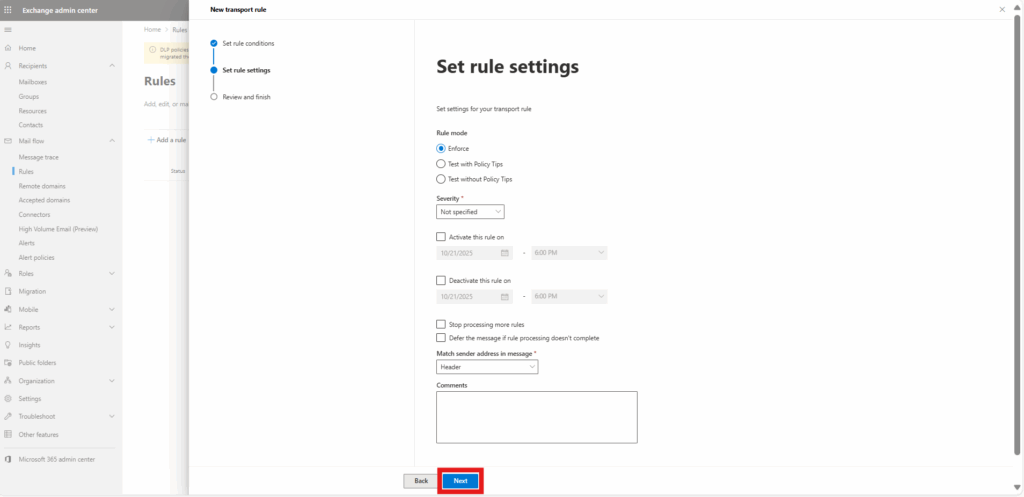
12. Leave all settings in “Set rule settings” as their default values and click “Next“, and “Finish“
Step 2. Bypass ATP Safe Link Scanning
Note: The next rule to implement is dependent on whether you use Defender for Office 365 (ATP) Plan 1 or Plan 2.
- If you use Plan 1, please ONLY implement the Mail flow rule (ATP Link Bypass) only.
- If you use Plan 2, please ONLY implement the Safe Links threat policy (Do-not-rewrite) only.
Do not implement BOTH rules below as they will interfere with each other.
If you do not know which Defender plan you have, simply follow the guide for plan 2 If the Safe Links policy (on step 4) is not available, you have plan 1.
Step 2. Plan 1 – Mail Flow Rule (ATP Link Bypass)
To bypass ATP Link Processing, set up the following mail flow rule:
1.Log into the Microsoft 365 (formerly Office 365) portal and select “Admin centers” > “Exchange“.
2. Select “Mail flow” then select “Rules“.
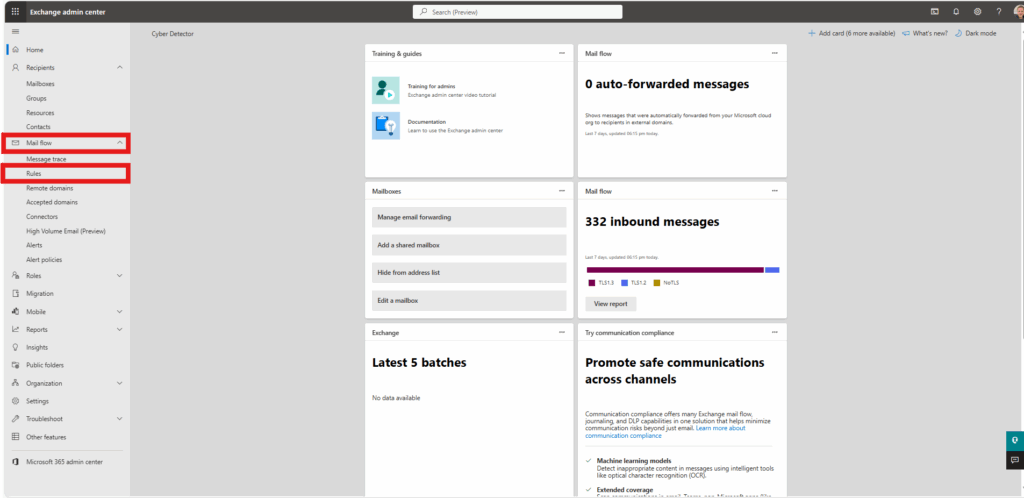
3. Click “Add a rule“. & “Create a new rule“.
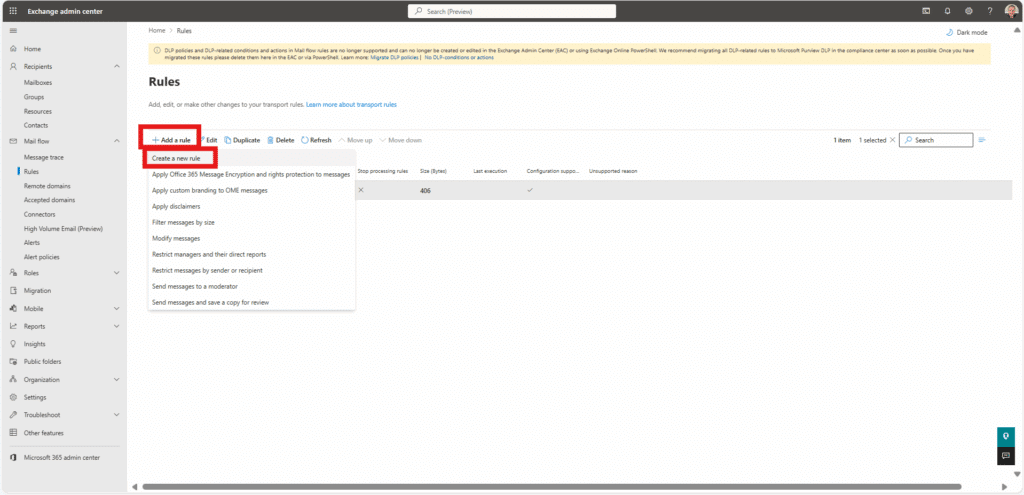
4. Give the rule a name “Bypass ATP Link Processing – CyberLearn IP Address“.
5. “Apply this rule if” select “The Sender“ > “IP address is in any of these ranges or exactly matches“.
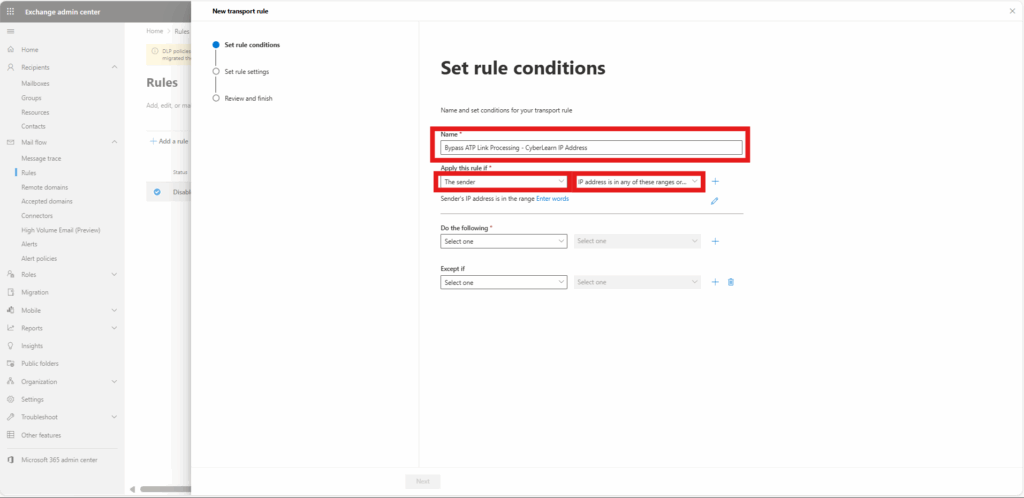
6. Enter each of CyberLearn’s IP addresse, clicking the “Add” button and then hit “Save”. IP: XXX
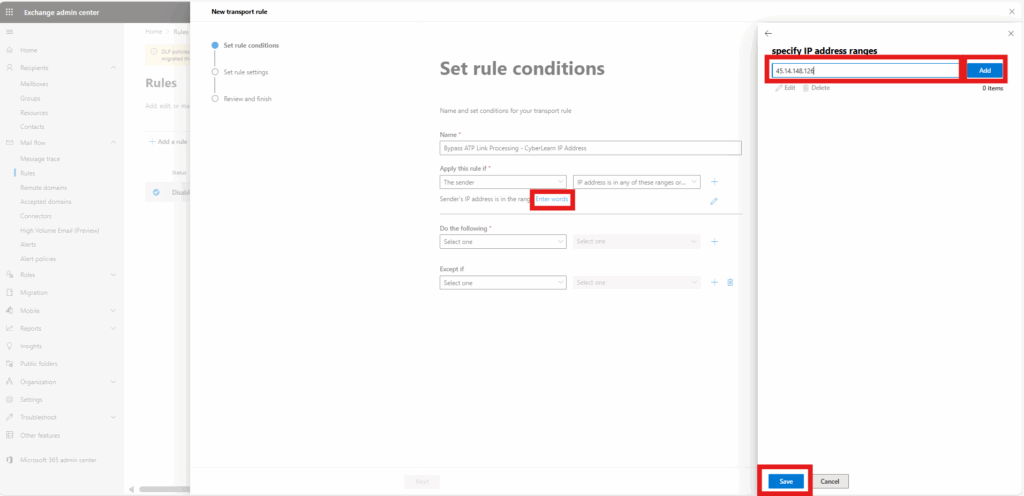
7. select “Modify the message properties…” > “set a message header“.
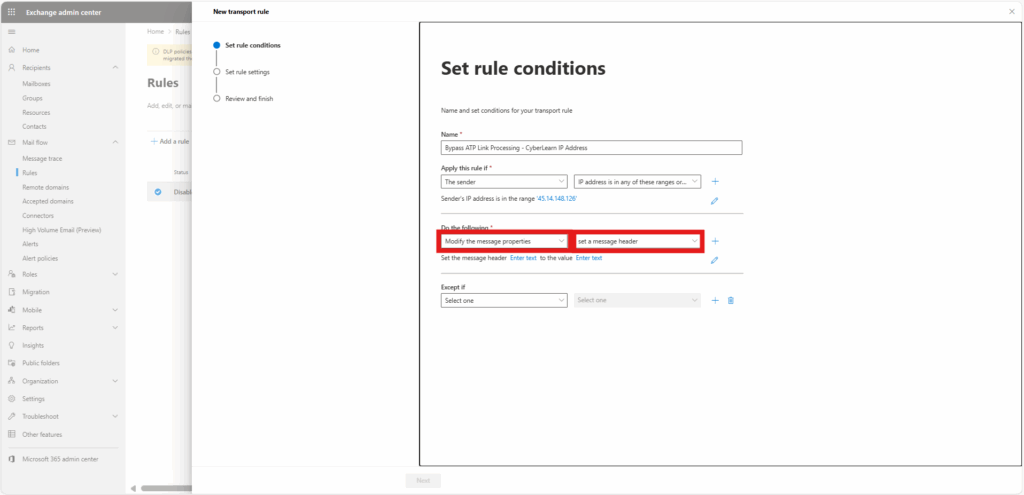
8. Edit the properties by selecting “Enter text” buttons:
Set the message header to “X-MS-Exchange-Organization-SkipSafeLinksProcessing” set the value to”1“.
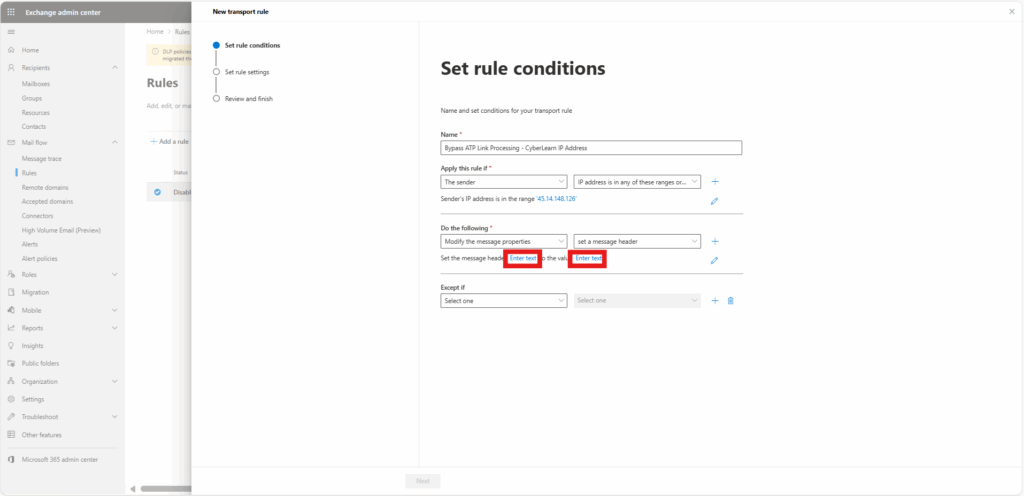
9. Click “Next” & Leave all settings in “Set rule settings” as their default values and click “Next“.
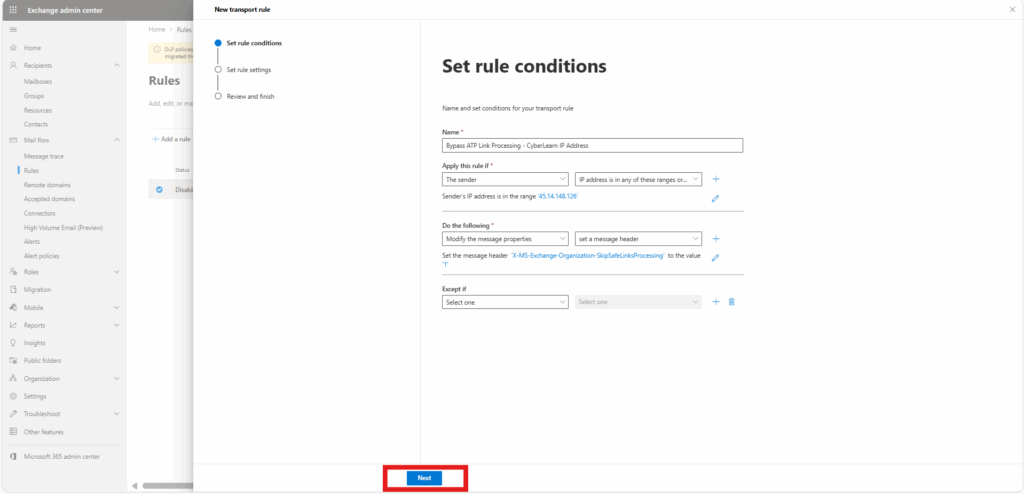
10. Click “Next“
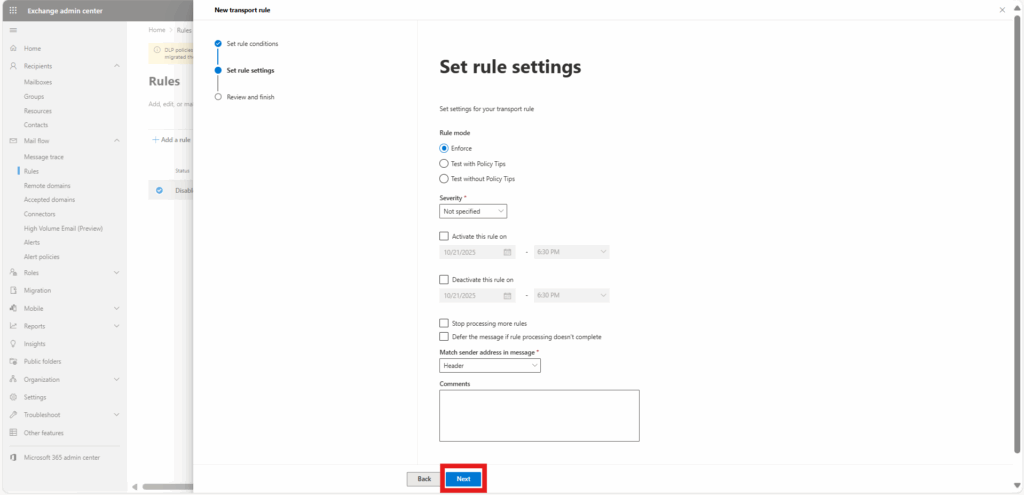
11. Click “Finish“

Step 2. Plan 2 – Threat Policy (Safe Link Bypass)
- Visit your Microsoft 365 Admin Center and click “Security” to open the Microsoft 365 Defender page.
- Click “Policies & rules“ > “Threat policies“
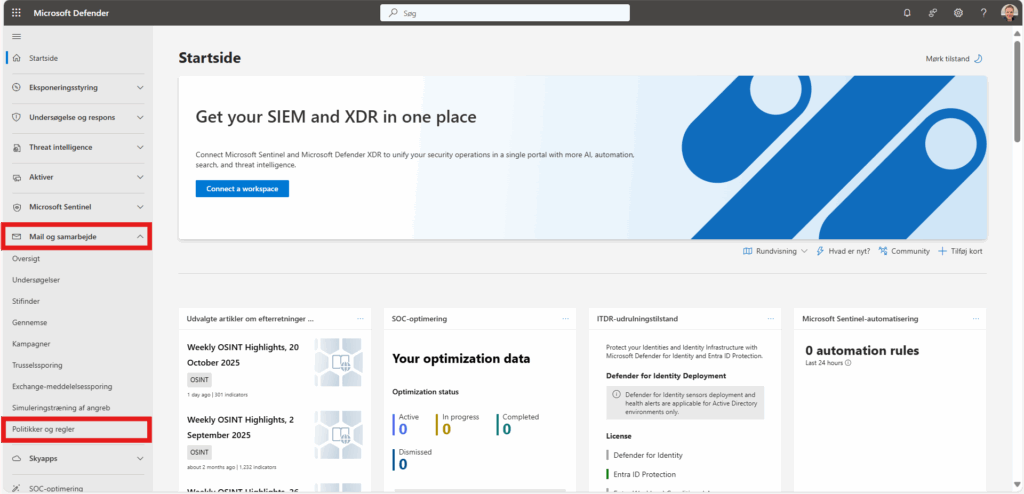
3. Click “Safe Links“
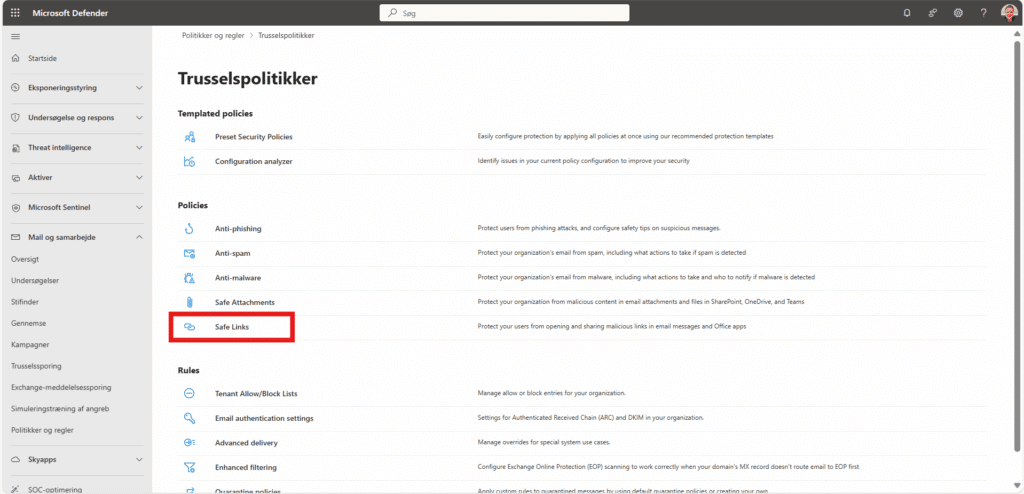
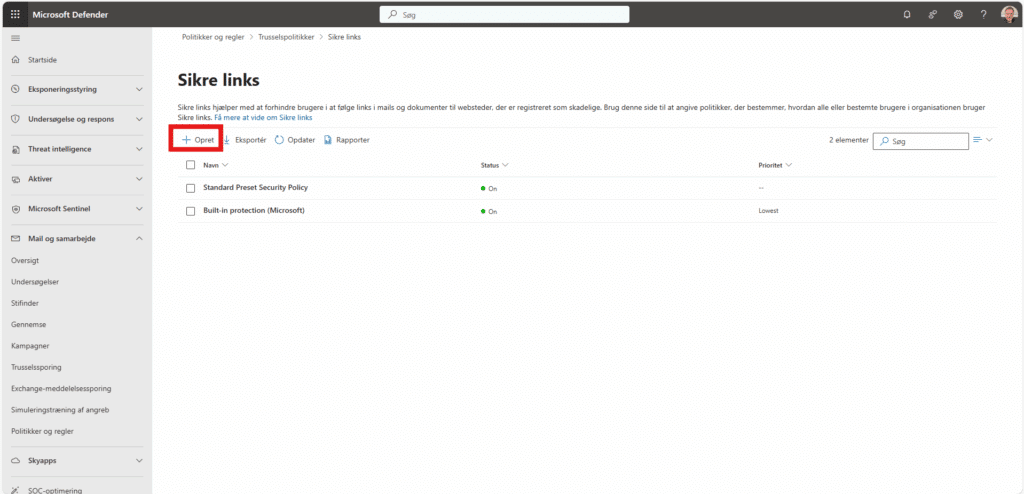
4. Either edit the existing ATP Link Policy and click “Edit policy” or click the “Create” button to make a new one and call it ” CyberLearn Safe Link Bypass”. Once done, click Next.
Make sure the policy applies to every employee. If you already have an appropriate group, select it; otherwise, target the email domain used by all employees (as in the example below). When finished, click Next.
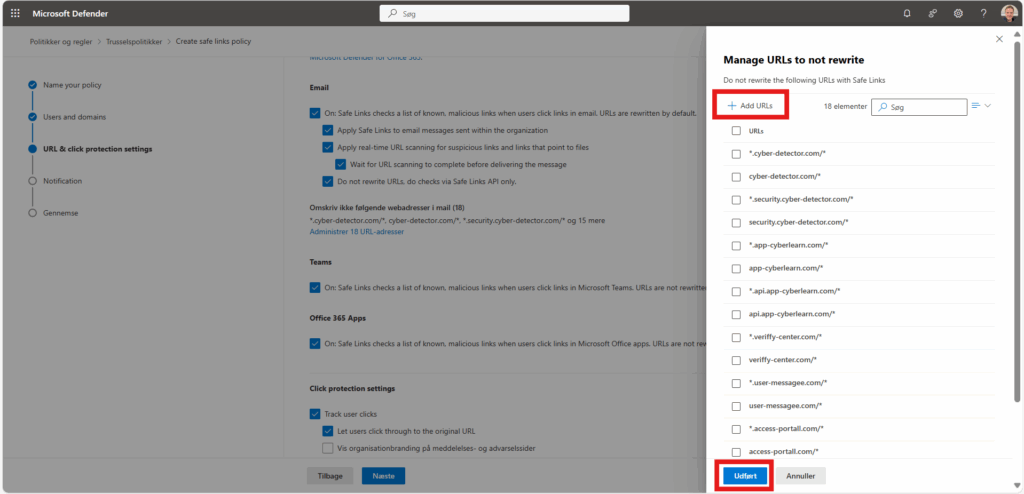
Finally, under Do not rewrite the following URLs, add the domains used by CyberLearn for phishing landing pages. Refer to our Allowlisting – and add each item separately.
Format: *.[rootdomain]/* (include the leading dot and trailing slash).
Example: For authwebmail.com, enter *.authwebmail.com/*.
Domains (add each as its own entry):
CyberLearn-domæner (tilføj alle nedenfor):
*.cyber-detector.com/*cyber-detector.com/**.security.cyber-detector.com/*security.cyber-detector.com/**.app-cyberlearn.com/*app-cyberlearn.com/**.api.app-cyberlearn.com/*api.app-cyberlearn.com/**.veriffy-center.com/*veriffy-center.com/**.user-messagee.com/*user-messagee.com/**.access-portall.com/*access-portall.com/**.delivery-statuss.com/*delivery-statuss.com/**.document-serviice.com/*document-serviice.com/*